

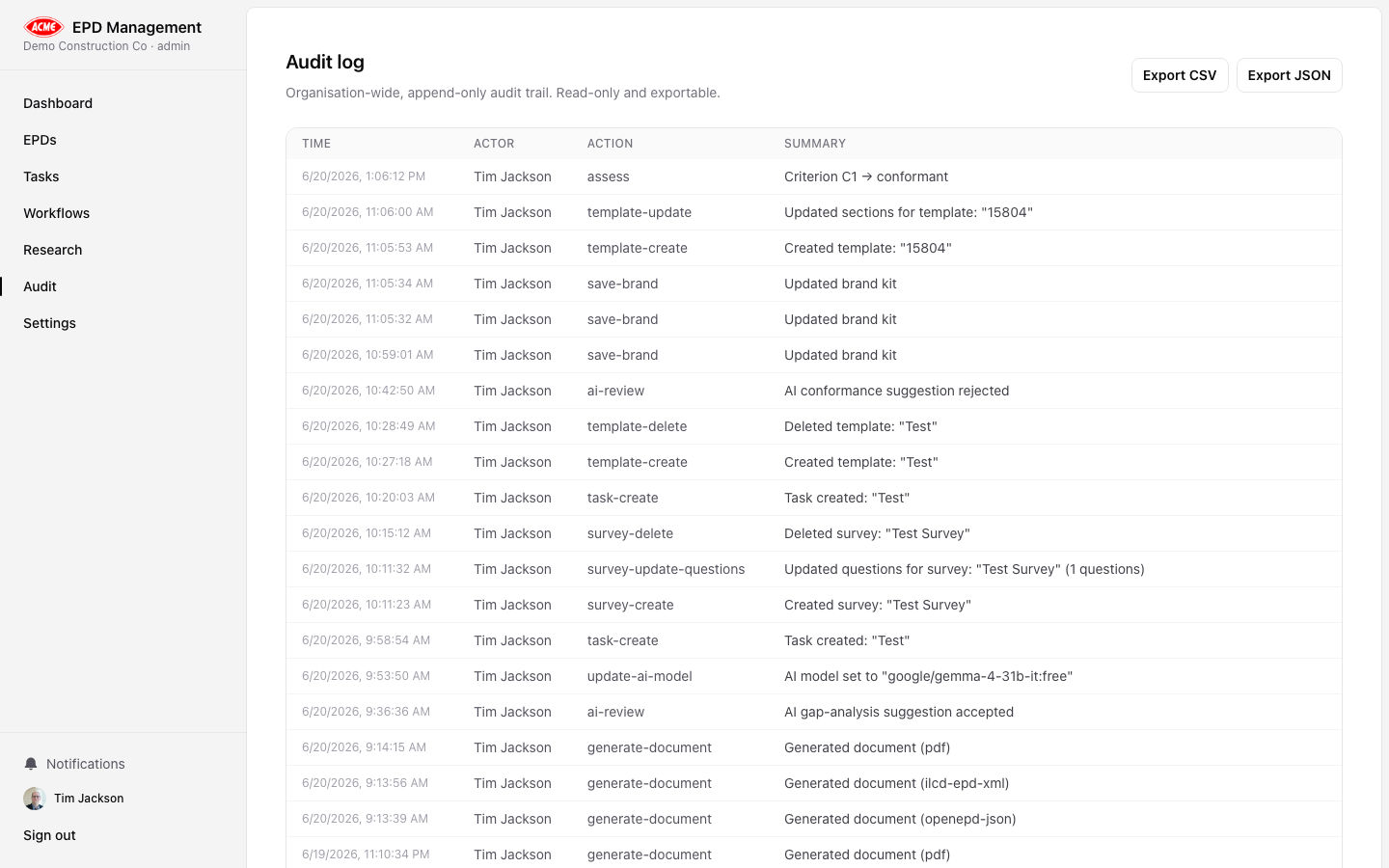
Overview
The Audit page (/audit) provides a complete, chronological record of every significant action performed in your organisation. It is designed to support:
- Internal quality assurance reviews
- Third-party verifier inquiries
- Regulatory compliance evidence
What is logged
Every mutation — creating, updating, or transitioning an EPD; saving settings; inviting team members; generating documents — is written to the audit log with:| Field | Description |
|---|---|
| Timestamp | Exact date and time of the action |
| Actor | The user’s display name who performed the action |
| Role | Their role at the time (Owner, Admin, Practitioner, Reviewer) |
| Action | Machine-readable action code (e.g. epd-transition) |
| Summary | Human-readable description of what happened |
| Entity | The type of record affected (EPD, task, settings, etc.) |
EPD-level audit
An EPD-specific audit trail is also available on each EPD’s Governance tab. This shows only the actions relating to that EPD, including approvals and verifications.Filtering and search
Use the search box to filter the audit log by actor name, action type, or summary text. The log is ordered newest-first and shows the 500 most recent entries.Audit entries cannot be deleted or modified. They form an immutable record for compliance purposes.