

Overview
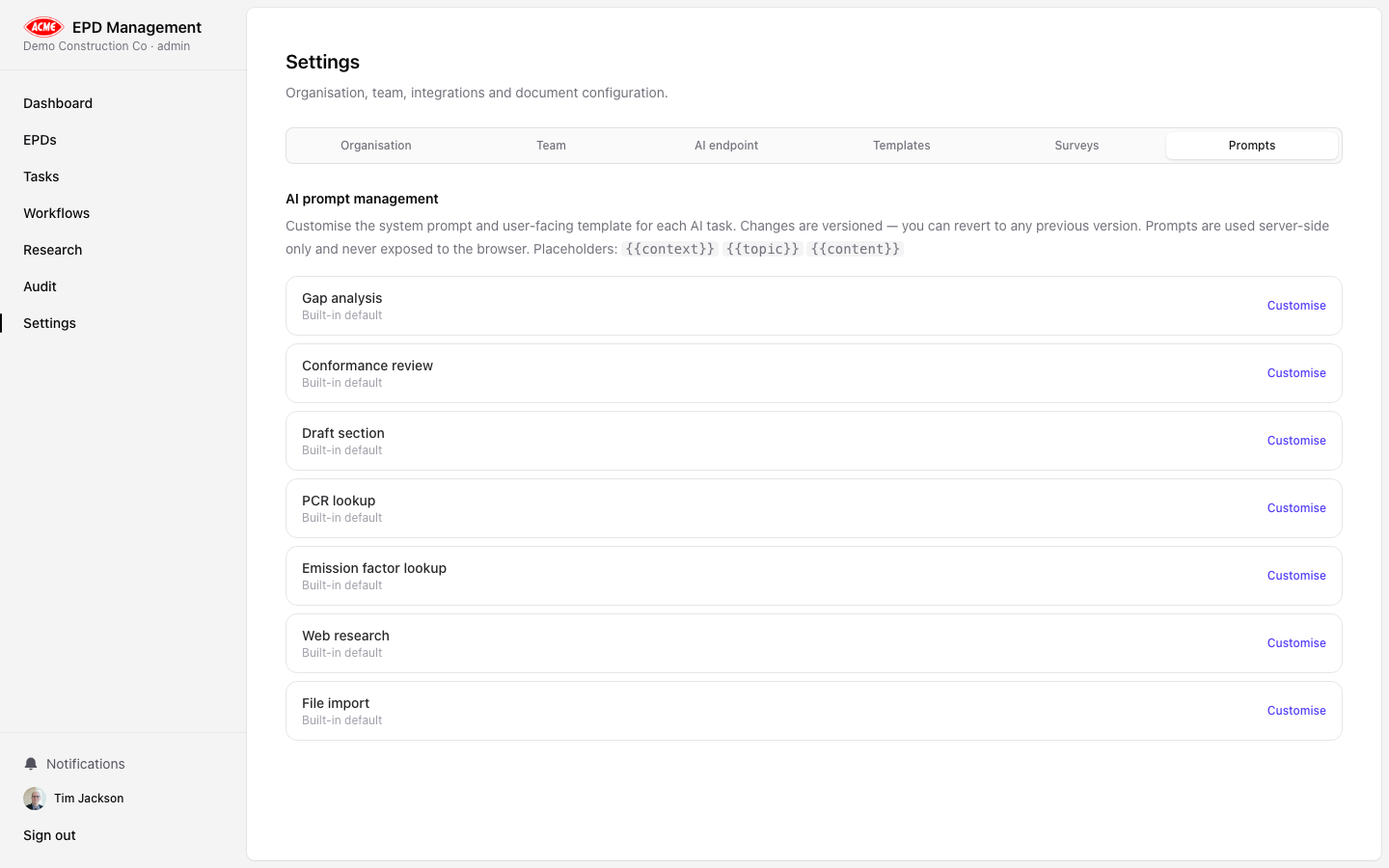
The Prompts tab in Settings allows administrators to customise the system and user prompts used for each AI analysis type. Custom prompts override the built-in defaults for your organisation only — other organisations are not affected.How prompts work
Each analysis type (kind) has two prompt components:| Component | Purpose |
|---|---|
| System prompt | Sets the AI’s role, constraints, and output style. Applies to all analyses. |
| User prompt template | The specific instruction for this analysis type. Supports template variables. |
Template variables
Use these placeholders in the user prompt template:| Variable | Replaced with |
|---|---|
{{context}} | The EPD data passed to the analysis |
{{topic}} | The analysis topic or specific question |
{{content}} | Additional content (e.g. pasted LCA report text) |
Editing a prompt
Select an analysis kind
Click on the analysis type you want to customise (e.g. Gap Analysis, Conformance, Draft Narrative).
Edit the system prompt
Modify the system prompt to change the AI’s persona, constraints, or output format.
Edit the user prompt template
Modify the instruction template. Ensure you keep the
{{context}} variable so EPD data is included.Version history
Each save creates a new version. The current active version is shown next to the prompt name. You can:- Revert — go back to the previous version
- Reset to default — discard all customisations and restore the built-in prompt
Best practices
- Keep system prompts concise — focus on role, tone, and output format
- Test changes on a low-stakes EPD before applying to production declarations
- Use versioning to roll back if a prompt change produces worse results